
The beautifier remembers your indentation
The standalone beautifier page now offers 2 spaces, 4 spaces, or tabs — the same options as the main editor.
A small gap, but one that every visitor to the beautifier page hit: the output was hardwired to 2-space indentation. If your team formats with 4 spaces or tabs — or your linter enforces it — the beautifier's output never quite matched the file you were going to paste it into, and you cleaned up the difference by hand.
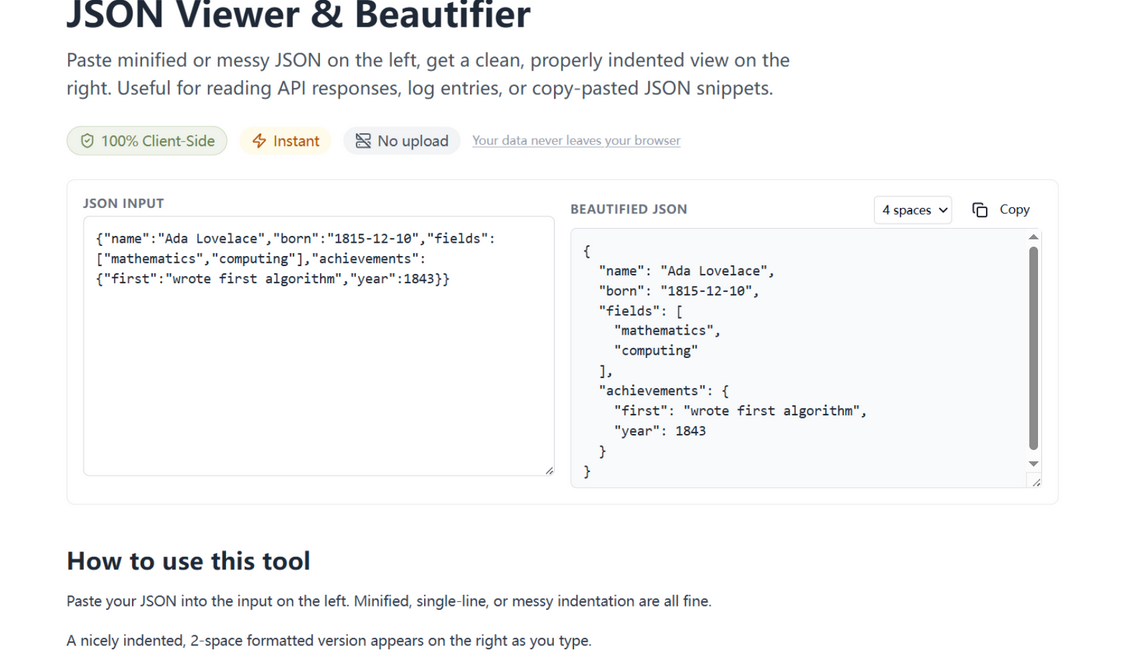
What changed
A dropdown next to the output label offers 2 spaces, 4 spaces, and tabs — the same options as the main editor's format action. The choice persists across visits, and the reformatted output updates immediately when you change it.
How to use it
Paste your JSON on the beautifier page, pick your indentation, copy the result. That is the whole workflow — it just stopped fighting your style guide at the last step.
Your style guide, honored
Indentation preference is where style guides go to war, which is precisely why it is a selector here and not an opinion. The same choice lives in the main editor and on this page, persists across visits, and reformats instantly — the output stops fighting your project rules at the last step.
Try it in your browser
Every tool on JSON Formatter App runs 100% client-side. No upload, no signup.
Open the editor