
The minifier now tells you what you saved
Byte counts, savings percentage, and a real gzip measurement — computed in your browser the moment the output appears.
Minifying without measuring is only half the job. You paste a 2 MB config, get a 1.1 MB string back — and then what? Most minifiers stop at the output, leaving you to paste both versions into a byte counter to learn whether the exercise was worth it. Ours now answers inline.
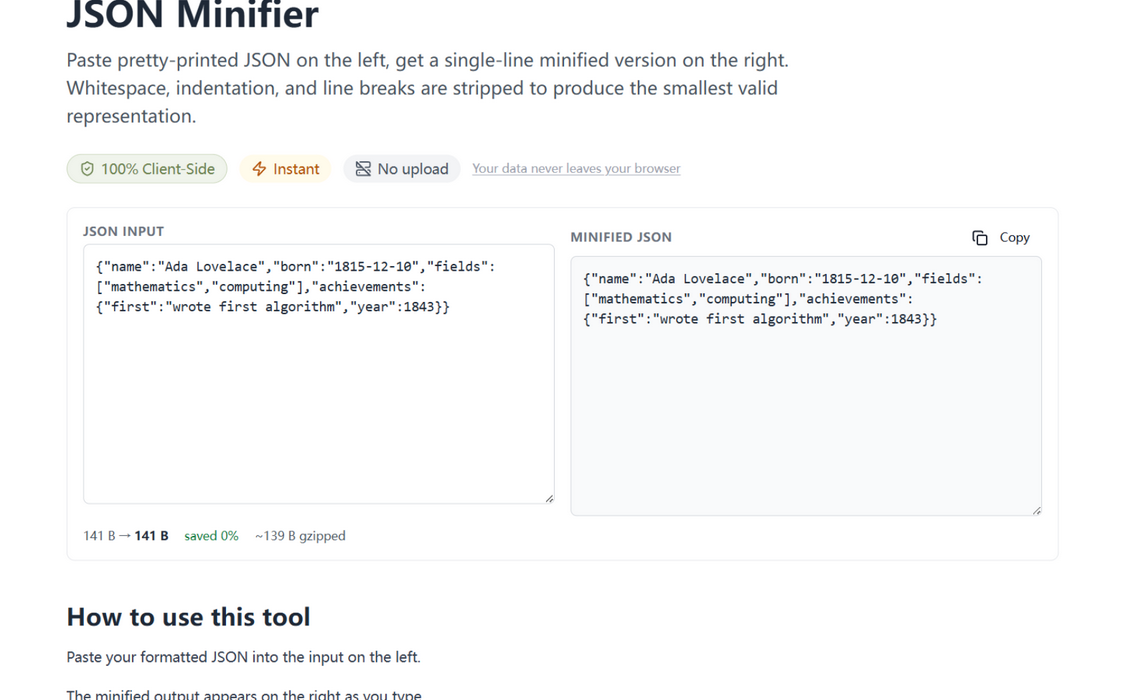
What the stats row shows
- Before → after — exact byte counts (UTF-8 encoded, not character counts), so multi-byte content is measured honestly.
- Saved percentage — the headline number, rounded, in green when it matters.
- A real gzip figure — not a heuristic. The minified output is compressed with the browser's native
CompressionStream, which is what your CDN and web server will actually do on the wire. JSON typically compresses 75–85%; if your payload compresses poorly, you'll see that before you ship it.
How to use it
Paste JSON into the minifier; the stats appear under the output the moment it does. Everything is local — even the gzip pass runs through a browser API, not a server.
Measured, not estimated
The gzip figure is a real measurement, not a heuristic: the minified output is compressed in your browser with the native CompressionStream API — the same algorithm your CDN and web server apply on the wire. When we say a payload is ~14 KB gzipped, that number came from actually compressing it, one tab-local step before it ships.
Try it in your browser
Every tool on JSON Formatter App runs 100% client-side. No upload, no signup.
Open the editor