
Sorter options: sort all levels or just the top, arrays included or not
Recursive used to be the only mode. Now you choose the scope — and whether objects inside arrays participate.
Alphabetical key sorting is the standard trick for making two JSON documents comparable: sort both, diff both. But the recursive sorter everyone ships has two blind spots that surface the moment your document is real. Some downstream consumers treat key order as meaningful — sorting everything destroys that. And arrays-of-objects (think log entries or event lists) often shouldn't have their internal keys shuffled even when the surrounding document should.
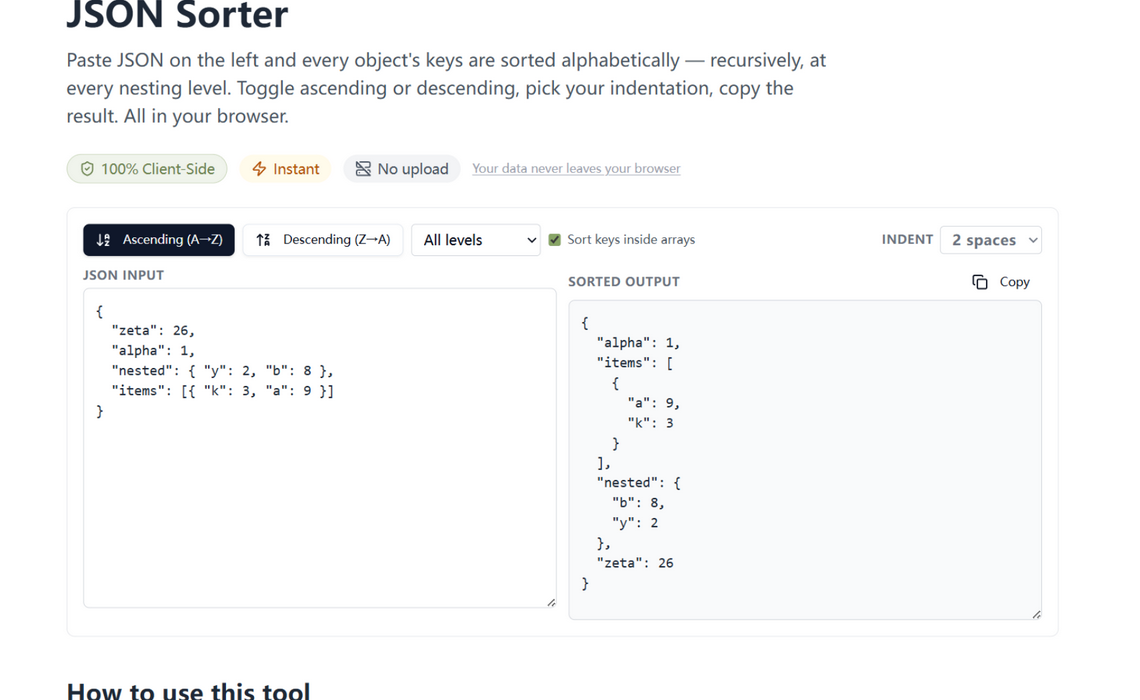
The two new options
- Sort scope — All levels is the classic recursive sort. Top level only sorts the root object's keys and leaves every nested object in document order.
- Sort keys inside arrays — on by default, it matches the old behavior. Turn it off when array items are records (log events, queue messages) whose internal key order you would rather not touch.
Array order is never touched in either mode — an array is ordered data, and sorting its items would corrupt it. Only the keys of the objects inside are candidates.
How to use it
Open the JSON sorter, pick ascending or descending, set the scope and the array option, and the output updates live. For diff-preparation, use All levels + arrays sorted; for config files headed to a consumer that respects key order, use Top level only.
Two workflows, both first-class
Two legitimate workflows pull in opposite directions — diff preparation wants everything alphabetized, config editing wants nested key order preserved. Instead of picking a side, the sorter exposes both as first-class options, so the same tool serves your diffing and your config hygiene without either feeling like a workaround.
Try it in your browser
Every tool on JSON Formatter App runs 100% client-side. No upload, no signup.
Open the editor