
JSONPath now evaluates as you type, with match counts
Live evaluation, a match-count badge, and errors that name their source — the JSONPath tester caught up with the Transform panel.
The JSONPath tester was the last page where the workflow was still edit → click Run → read. It now evaluates live as you type or as you click an example, with the same ergonomics the Transform panel shipped: a green match-count badge, and error messages that distinguish a broken document from a broken expression.
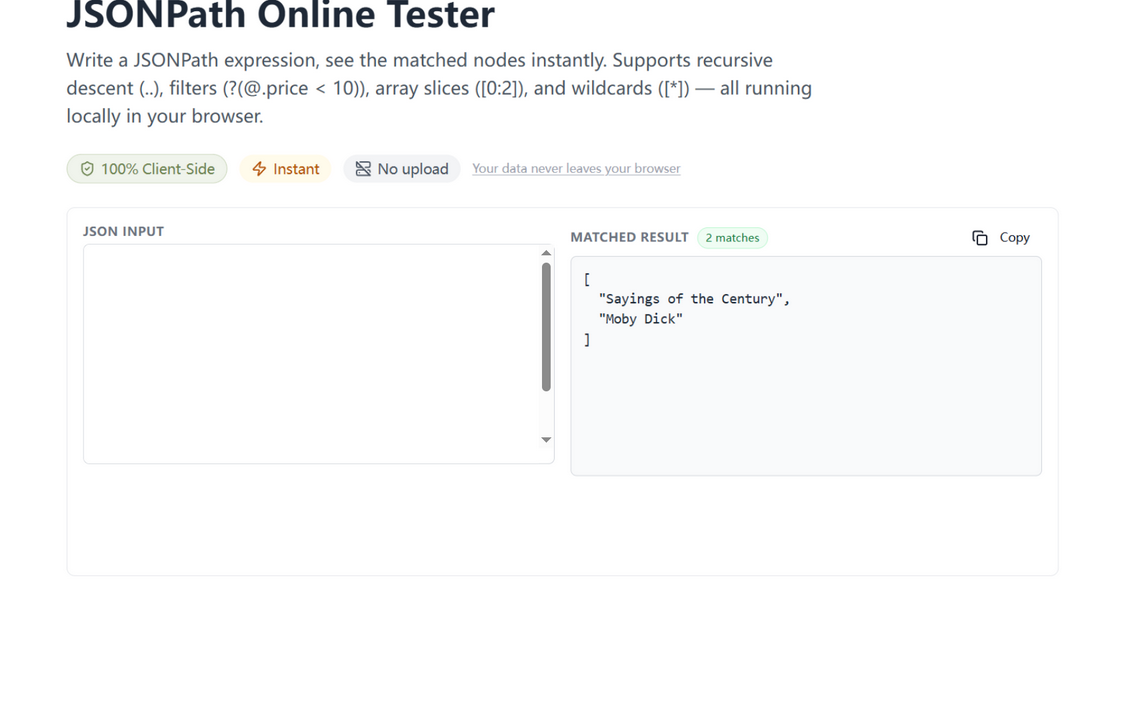
What changed
- Live evaluation — results update as you edit the document or the expression (debounced, so typing stays smooth). The Run button remains for when you want it.
- Match counts — a badge shows how many nodes the path selected, the fastest way to tell a working filter from one that silently matches nothing.
- Named errors — invalid JSON in the input and invalid JSONPath in the expression now produce different, labeled messages instead of one generic red line.
How to use it
Open the JSONPath tester, paste your document, and type paths like $.items[?(@.qty > 1)].sku — the badge confirms each tweak hit what you meant. Click any example chip to load a common idiom. Found the path you need? Copy it into the tree view's copy-path button or a jq filter and keep moving.
One interaction model across the suite
The live-preview, match-count, honest-error pattern is the house style: the Transform panel set it, and this tester inherits it whole. A consistent interaction model means everything you learn about one tool here transfers to the next — type, watch the badge, read a labeled error, copy the result.
Try it in your browser
Every tool on JSON Formatter App runs 100% client-side. No upload, no signup.
Open the editor