
Transform, rebuilt: real jq filters, smarter JSONPath, and undoable results
The Transform panel grew up: genuine jq via WebAssembly, a JSONPath mode that tells you what it found, and results you can always undo.
After rebuilding formatting and validation, we turned to the third pillar of the editor: the Transform panel — the thing you reach for when a JSON document is almost the shape you need. Testing the old panel the way a user would, we kept hitting the same wall: it could select values with JSONPath, but it couldn't really transform anything. No mapping, no aggregation, no reshaping. And the ergonomics had gaps that added up: single values always came back wrapped in an array, a typo in the path silently produced [], and applying a result was invisible to Undo.
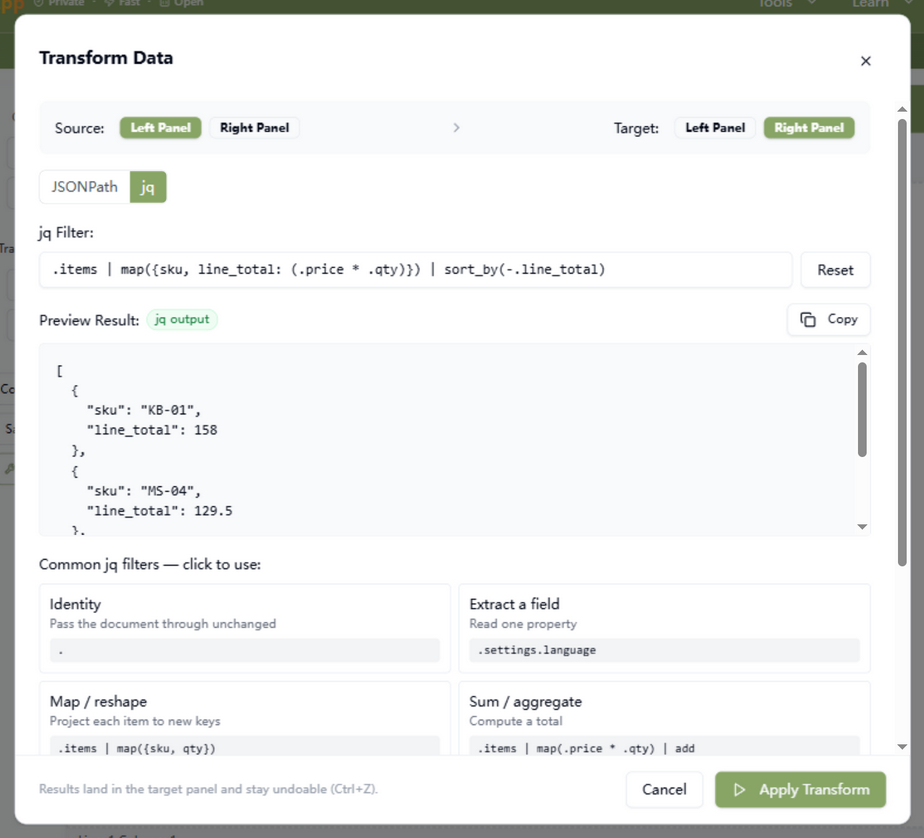
New: a real jq engine, one click away
The Transform dialog now has two modes, and the new one is the headline: genuine jq, compiled to WebAssembly, running locally. jq has spent a decade becoming the lingua franca of JSON manipulation — map, select, sort_by, group_by, add, object construction, arithmetic — and now all of it works in the dialog:
.items
| map({ sku, line_total: (.price * .qty) })
| sort_by(-.line_total)
That filter maps an order's items to a new shape, computes line totals, and sorts them — in one expression, previewed live as you type. Anything you can express in jq works here, because it is jq (1.8.2), not a subset we reimplemented.
JSONPath mode, upgraded too
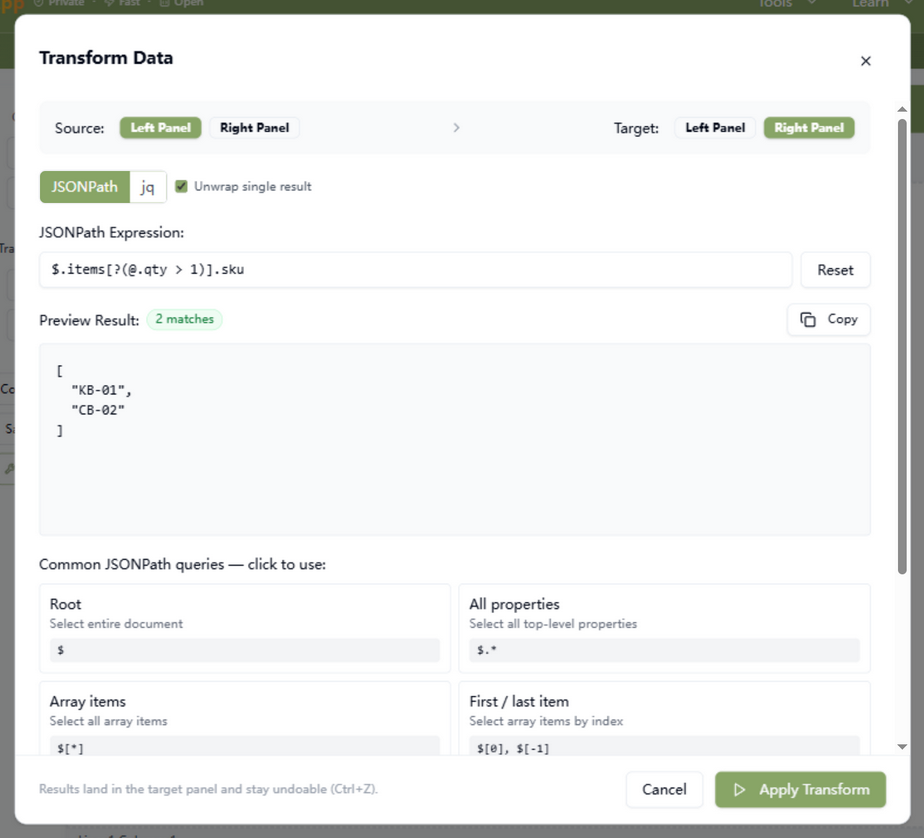
The JSONPath mode you already know stays — it just learned some manners:
- Unwrapped single results —
$.store.books[0].titlenow yields"Dune", not["Dune"]. Multi-match queries still return an array; a one-element array was almost never what you wanted. (Prefer the old behavior? There's a checkbox.) - Match counts — a green badge tells you “3 matches” the moment the query settles, so you know the path hit what you meant it to hit.
- Honest empties and errors — zero matches gets an amber “0 matches — check the path” nudge instead of a bare
[], and a malformed expression gets a red Invalid JSONPath error instead of silently looking like no match.
Every result is one Ctrl+Z away
Both modes share the same safety net we built for formatting: applying a transform records it in the target panel's undo history. Apply an aggressive reshape, decide you liked the original better, and one click of Undo restores it. The dialog itself reminds you of this at the bottom — no more “where did my document go” moments.
How to use it
jq: click Transform in the middle toolbar, switch to the jq tab, and type a filter. The preview updates as you type (the jq engine loads once, on first use, then stays warm). Click any example card — map/reshape, sum/aggregate, filter, sort, group & count — to see the idiom filled in. When the preview looks right, Apply Transform writes it into the target panel.
JSONPath: same dialog, JSONPath tab. Use it when you want to pull values out rather than reshape them — $.items[*].sku, recursive descent with $..price, or filters like $.items[?(@.qty > 1)]. Watch the match-count badge to confirm the query hits what you intended, then apply.
Why jq, and why it matters
Transform panels usually offer one of two things: selection only (pull values out), or a custom expression sandbox that computes anything but works nowhere else. We chose the third path — genuine jq. jq is the decade-standard language for JSON manipulation: the same filters you write in this dialog run unchanged in your shell, your CI, your log pipeline, and your teammates' terminals. Learning curve invested once, reused everywhere — and nothing you learn here is wasted when you leave the browser.
Rebuilding this panel also meant hardening the engine underneath it: our jq runner was quietly failing to initialize against a pre-3.0 API of the jq-WebAssembly bindings. The fix — targeting the current loadJq API with proper stderr and exit-code handling — repaired both this dialog and the standalone jq playground that shares the same engine. One engine, verified end to end.
As always, nothing leaves the tab: the jq runtime is WebAssembly, JSONPath runs in plain JavaScript, and the result is written straight into the editor pane. Open your DevTools Network panel and transform your most sensitive payload — you'll see the same nothing we do.
Try it in your browser
Every tool on JSON Formatter App runs 100% client-side. No upload, no signup.
Open the editor